Start with what you want to see. Then pick the gear.
Most smart home projects start in a store aisle, staring at boxes. We start at your front door, because a good security camera installation begins with knowing what you want to see. What do you actually want to know when you are not home? Who is at the door. Whether the garage is closed. Whether the kids got in from school, or the dog walker showed up. The answers shape where cameras go and what kind of lock makes sense, and they stop you ending up with three apps for three gadgets that never talk to each other.
A new parent, someone who travels for work and a family keeping watch over an elderly mother all want different things. A camera on the driveway is little use to someone who mainly wants to know that Mom got up and moving this morning. So every job opens with a short walk around the house and a conversation, followed by a flat quote that you agree to before a single hole is drilled.
Security camera installation that covers what matters
A camera is only as good as where it hangs. A home security camera installation usually starts with the front door, the driveway and any back or side door, because that is where people come and go. Indoor cameras are a different question, often about a pet, a nursery or an aging parent, and it is worth agreeing with everyone in the house before one goes up.
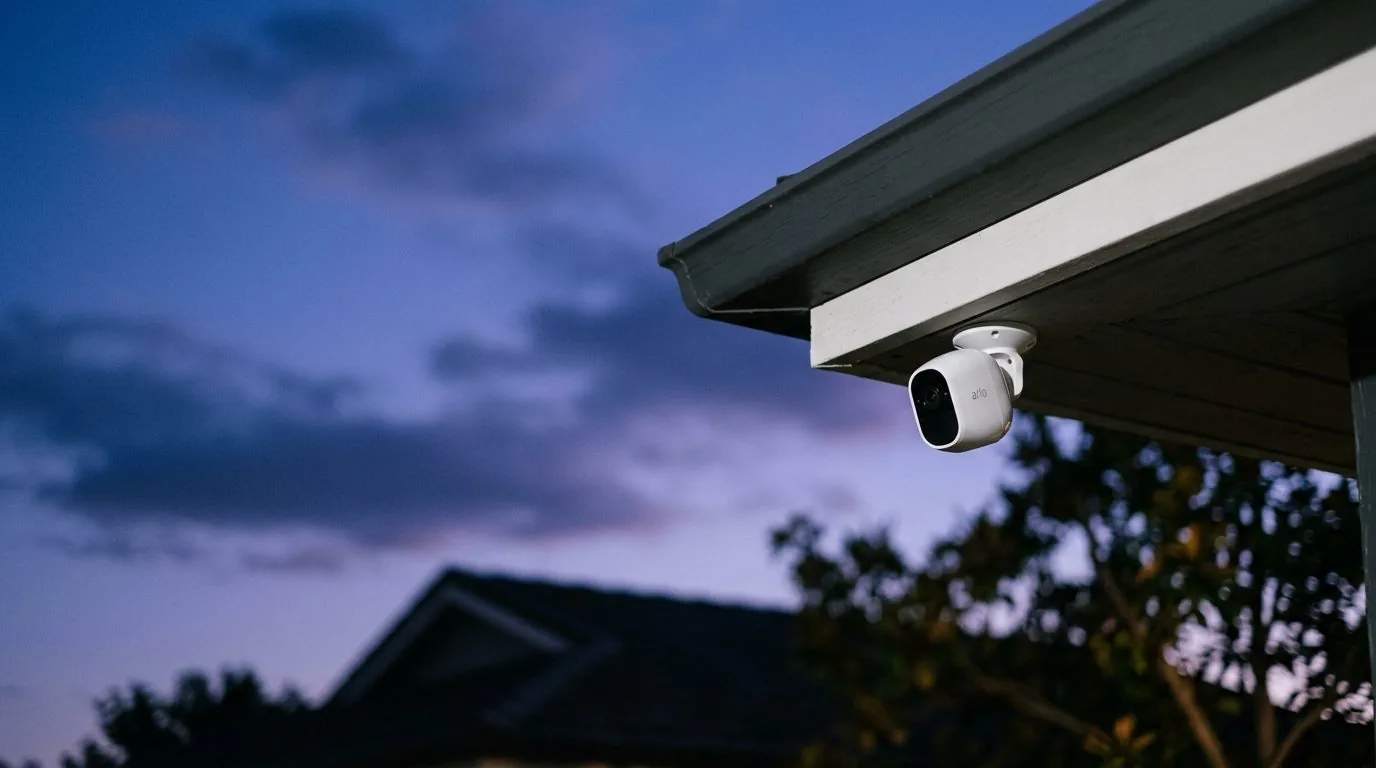
Outdoor cameras go high enough to be out of easy reach, angled to catch faces rather than the tops of heads. We check the view at night as well as in daylight, because a porch light shining straight into the lens can turn a clear picture into a white blur. Then we set motion zones, so a car passing on the street does not send an alert to your phone forty times a day. Alerts you actually want, and not the rest.
Wired, battery or plug-in
Battery cameras can go almost anywhere and are quick to put up, but they need charging and some save power by recording short clips rather than everything. Wired and plug-in cameras never need charging and suit spots where you want steady recording. Many homes end up with a mix. We tell you the trade-off for each spot before you buy, not after.
Cloud recording or recording at home
This is the question behind most monthly fees. Some camera brands keep your video history in the cloud and charge for it. Others record at home, on a card or a small box, with no monthly fee. Cloud storage keeps a copy if a camera is taken down or stolen. Recording at home keeps the footage in your hands and the bill at zero. We explain the options for the gear you are looking at, so there are no surprises on your card later.
Being a good neighbor
We aim cameras at your property, your doors and your driveway, not into the house next door. It keeps the peace on the street, and it keeps your alerts about your home.
Doorbell camera installation
With a video doorbell installation you can check who is on the porch from the office or the airport, and talk to them without opening the door. They come wired or battery powered. A wired doorbell usually runs off the existing doorbell wiring, never needs charging and can keep your indoor chime working. A battery doorbell can go on almost any door frame but needs recharging every so often.
Whichever you pick, we mount it level and test it with your WiFi before we call the job done. The front door is often the farthest point from the router, and a doorbell that cannot hold a connection is just an expensive button. If the signal at the door is weak, we tell you during the walkthrough and fix that first. Our WiFi and networking service covers exactly that.
Smart lock installation and lighting
A smart lock lets you let the dog walker in without hiding a key under the mat, and check that the back door is locked from bed. Each person can get their own code, and a code can be switched off the day it is no longer needed. Most smart locks still keep a keypad or a physical key, so you are not shut out if a battery runs low.
It is worth checking that the door closes cleanly and the bolt lines up before a smart lock goes on. A door that has to be shoved shut will fight any lock, smart or not, and wears through batteries.
Smart lighting is the quiet favorite. Lights that come on when you pull into the driveway. A porch light that switches on at sunset whether you remembered or not. Lamps on a schedule so the house looks lived in while you are away.
Checking in on an aging parent
A lot of our smart home work is for families looking after someone who lives alone. The goal there is not security in the burglar sense. It is peace of mind. A video doorbell at a parent's door shows you who has been visiting and lets them see who is knocking before they get up. A smart lock with its own code for a carer or a neighbor means nobody has to leave a key under a flowerpot. Lights that switch on at dusk mean nobody is crossing a dark hallway at night.
The person being looked after has to be comfortable with all of it, so we keep their side as simple as it can be and explain it to them in plain English, as well as to you. And the alerts go to the people who need them, without flooding anyone's phone.
A smart home installation everyone can use
The fastest way to give up on a smart home is to need six apps to run it. We hold the app count down to the bare minimum and put it on each phone in the household, not only the phone of whoever booked us. Then we walk everyone through alerts, saved clips and how to share access with family, including a grown child who wants to check in on a parent from out of town.
Simple is the standard. If a grandparent cannot answer the doorbell from their phone, the setup is not finished.
Clean installs and a free return visit
Clean installs, no dangling wires. Already bought the gear? That is fine. We can mount and connect a doorbell, camera or lock you picked up yourself and get it working on your phones.
If something acts up after we leave, we come back free. Because cameras stream video around the clock, the walkthrough includes a look at your network, and you hear about any weak spots before the install. If anyone in the house needs help getting comfortable with the apps on a new phone, our phone setup and lessons are made for that.
If you searched for security camera installation near me from anywhere in Middle Tennessee, plan your setup with us using the form below. The rest of what we do is on our services page.