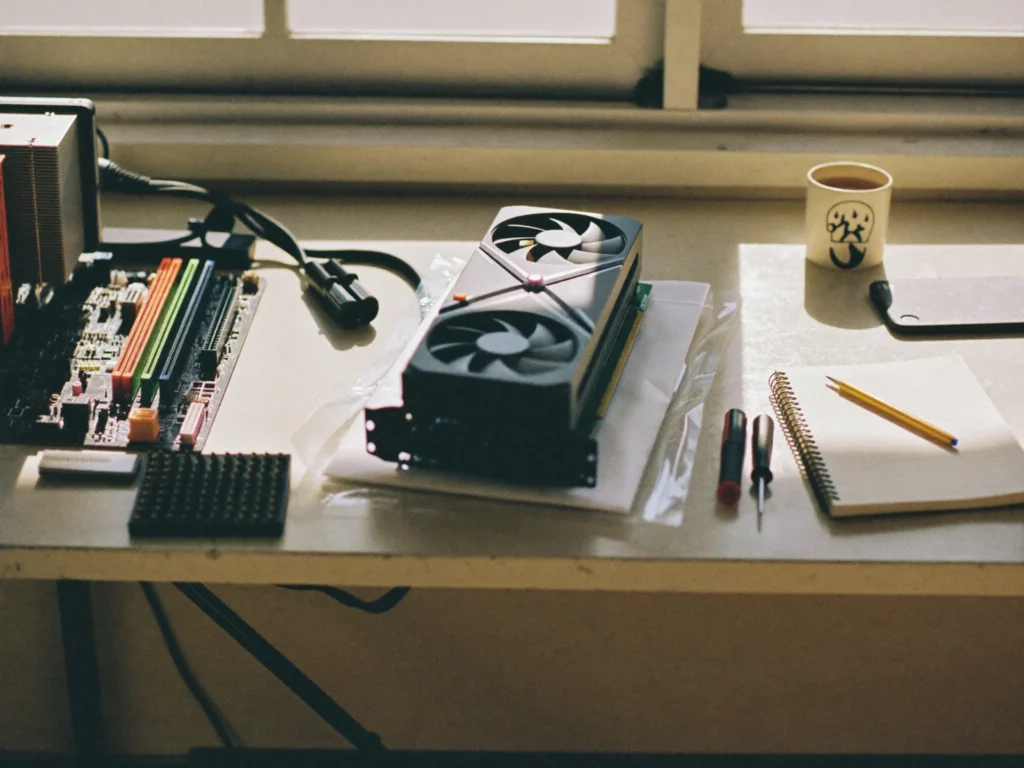
A custom gaming PC built around what they play. And what you want to spend.
Every custom gaming PC starts with a conversation, not a parts list. What do they play? What do they dream about playing? What are you comfortable spending? A kid who plays with friends after school needs a very different machine from one who wants the newest games at the highest settings, and the price gap between those two is big. No pressure and no surprise quotes. We help you land on the right machine for the games, not the one with the most lights.
Our custom gaming PC builds happen for you or with you. Some families want the full build day with a screwdriver in their kid's hand. Others want a machine that turns up ready to play. Both are fine, and the conversation is the same either way.
What goes inside, in plain English
Your kid will probably use all of these words at dinner. Here is what they mean.
- The processor is the brain. It runs the game itself and everything else on the computer.
- The graphics card draws every picture on the screen. It has the biggest effect on frames per second, the FPS number gamers talk about, and it is usually the most expensive part.
- Memory, or RAM, is the desk space the computer works on. A bigger desk lets it keep more open at the same time, up to a point.
- Storage is where the games live. A fast solid state drive means shorter loading screens.
- The motherboard is the board everything plugs into, and the power supply feeds all of it.
- The case and the fans keep it all cool, which matters more than it sounds once a game has been running for two hours.
Making sure it all fits together
This is where most first-time builds go wrong. The processor has to match the motherboard. The power supply has to be strong enough for the graphics card. The graphics card has to physically fit inside the case, and the cooler has to clear the side panel. We choose the parts with you and check every one against the others ahead of build day, so the parts that show up at your door are parts that belong together.
Where the budget should go
If the budget is tight, the graphics card is where the money makes the biggest difference to how games look and run. Lights, fancy fans and glass panels look great in photos and do nothing for the frame rate, so they are the first thing to trim. Memory and storage come next, and both are easy to add later.
Two things often get forgotten. The monitor, keyboard, mouse and headset are separate from the PC itself, and a fast PC on an old screen will not show what it can do. And it is worth leaving a little room to grow. A power supply and case with some headroom mean the next upgrade is a part swap, not a new build.
Gaming PC or console?
A fair question from a lot of parents. A console is simpler: plug it in and play. A PC takes more setting up, but it can be upgraded one part at a time instead of replaced every few years, it runs schoolwork and creative software as well as games, and building one teaches more about how computers work than most classes do. For a kid who is curious about what is inside the box, that last part is the whole point.
Build a gaming PC at your kitchen table
Think of us as a custom PC builder who brings the screwdriver and then hands it over. The parts show up, and we come to you. Build day happens at your own kitchen table, anywhere around Nashville. Your kid does the building. A Geek coaches every step and makes sure nothing gets fried.
It goes in a sensible order. Processor and memory onto the motherboard first, while it is still easy to reach. Then into the case, then the drive, the graphics card and the power supply, then the cables, one at a time, with a reason given for each. The best moment is always the same one: the first time it powers on. Then it gets set up, and it is ready to play.
Kids can start young, even at age 5, and no experience is needed, ever. Mom and Dad can pull up a chair, and often do. What everyone leaves with is a machine they actually understand. When something needs changing in two years, they will know which part it is.
After it powers on
A new gaming PC opens a few doors parents should know about. Games and game stores have their own settings for chat, friend requests and spending, and those are worth setting before the first late night. If your kid streams, a stream delay stops people using the live video to find them in a game. We can switch that on, along with the privacy and safety options worth setting on any kid's account.
The first evening on a new PC is mostly updates. The operating system, the graphics card driver and every game launcher want to download something, and it is worth letting them finish before the first match. We make sure the important ones are done, so the first game runs the way it should.
Then there is the connection. The gaming room tends to sit at the far end of the house from the router, and lag is the complaint we hear most from new PC owners. Usually that is a signal problem rather than the PC, and our WiFi and networking service sorts it out. Down the line, when the PC needs more memory or a faster drive, our computer repair and upgrades take care of that without starting from scratch.
More for kids who love this stuff
Build day is often the start, not the end. Our tech classes for kids go further: computer basics, beginner coding that ends in a game they made, and birthday LAN parties run by a Geek. They suit ages 5 to 15, in small groups or one-on-one.
Looking for a gaming PC builder near me in the Nashville area? Book a build day with the form below, or look through the other services we offer.